B2B data glossary Definition

Website Visitor Tracking

Website visitor tracking is the collection and analysis of what people do on a website: the pages they view, where they came from, how long they stay and, in B2B, which company they work for. It runs on a tracking script or pixel, cookies and IP lookup. Teams use it to improve the site, measure campaigns and spot the accounts that show interest.

Updated
Try the app free
or use it in
Google Sheets
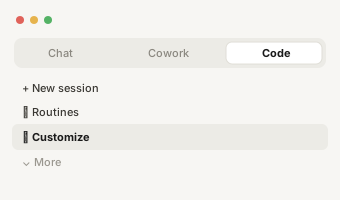
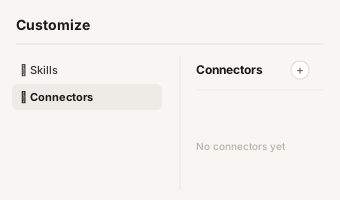
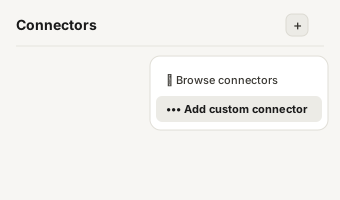
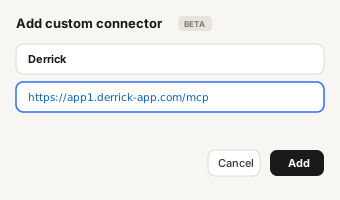
Claude
API
4.6 / 5 on Google Workspace Marketplace4.5 / 5 on G2254 upvotes on Product Hunt
Part 1 / 7

Definition

Definition: Website Visitor Tracking

Website visitor tracking is the process of recording and analyzing what people do on a website: the pages they view, the source that brought them, the time they spend and the actions they take, such as a form fill or a demo request.

It covers three different jobs. Web analytics counts and measures traffic. Behavioral tracking shows how individual sessions move through a page, with heatmaps and session recordings. Visitor identification, used mostly in B2B, matches a visit to the company behind it, usually from the IP address of the network the visitor browses from. Each job answers a different question, and most teams need more than one.

Part 2 / 7

How it works

How Website Visitor Tracking works

Every tracking setup follows the same chain. A piece of code on the page collects an event, sends it to a server, and a tool turns those events into reports. What changes from one setup to the next is what gets collected and how a visit is tied to a person or to a company.

How website visitor tracking works

  1. A tracking script or pixel loads with the page. A small JavaScript tag, or a 1x1 image pixel, runs when the page opens. It records the URL, the referrer, the device, the browser and the time of the visit.
  2. A cookie recognizes the returning browser. The script stores a random identifier in a first-party cookie. When the same browser comes back, the identifier links the new session to the earlier ones. That is how a tool knows a visit is a return visit.
  3. Events describe what happens on the page. Page views, scroll depth, a click on a button, a video played, a form submitted. Each one is sent as an event with a timestamp.
  4. The IP address points to a network. Every request carries the IP address it comes from. A reverse IP lookup matches that address against databases of registered networks. When someone browses from an office or a corporate VPN, the network often belongs to their employer, so the visit can be attributed to a company. From a home connection or a mobile network, it usually can't.
  5. A tool joins the pieces and reports. Sessions, events and company matches are stored and shown as dashboards, alerts or lists of accounts.

A login or a form changes the picture. Once a visitor gives an email address, the earlier anonymous sessions tied to the same cookie can be linked to a known contact. Before that, the only identity on the table is the browser and, at best, the company network.

The 3 types of website visitor tracking

  • Web analytics. The question it answers: how much traffic do we get, from where, and does it convert? The data: sessions, page views, sources, bounce rate, conversion events. Who uses it: marketing. Who it identifies: nobody, it works on totals.
  • Behavioral tracking. The question it answers: what do people do on this page, and where do they get stuck? The data: heatmaps, scroll maps, session recordings, click paths. Who uses it: product and UX teams. Who it identifies: a session, not a person.
  • Visitor identification. The question it answers: which companies are looking at us? The data: reverse IP matches, pages viewed per company, how often each company comes back. Who uses it: sales and account-based marketing. Who it identifies: a company, rarely a person.

The three often come bundled, but they are not interchangeable. A traffic report will never tell a rep which account to call, and a list of identified companies says little about why a landing page fails to convert.

What to look for in website visitor tracking software

Five questions sort the options quickly. Which of the three jobs does the tool actually do? How does it handle consent and the cookie banner? How does it match companies, and how often is a match wrong? Can you filter visits by your ideal customer profile? And can the data go to your CRM, instead of living in one more dashboard?

Part 3 / 7

Examples

Real-world examples

The two examples below are illustrations. The companies are fictional and no figure is a benchmark.

1. An online store reads its product pages

An online home decor store sets up website visitor tracking on its catalog. The analytics show that the vintage rugs category gets plenty of views but few purchases. Session recordings explain why: visitors scroll to the shipping section, open the size guide, then leave. The store rewrites the size guide, shows delivery costs on the product page and sends a rug recommendation to visitors who already signed up for its newsletter. What people did on the page drove the fix, not a guess.

2. A B2B software company follows an account

A company that sells planning software to logistics firms tracks its pricing and case study pages. Over two weeks, visitor identification matches six sessions to the same regional freight company, three of them on the pricing page. That is a signal, not a lead. Nobody filled a form, and the tool only knows the company network.

The sales team checks the account against its target list: right size, right industry, no open deal. Then comes the step tracking can't do. The rep needs people. Who runs operations there? Who owns the budget for planning tools? The rep maps the likely decision-makers, finds their professional contact details and opens with a message about planning across several sites, never with "I saw you on our website."

Three weeks later, the operations director replies. The visits did not create the opportunity. They told the team which account to work first.


Part 4 / 7

Why it matters

Why Website Visitor Tracking matters in 2026

Most visitors never fill a form. In B2B, buyers read pricing pages, compare vendors and ask AI assistants for a shortlist long before they talk to anyone. Website visitor tracking is how a team sees part of that research, instead of waiting for an inbound form that may never come.

Website analytics vs visitor tracking

The two terms are often used as synonyms, and they overlap. The practical difference is the unit you look at. Website analytics works on totals: sessions, sources, conversion rates, trends over time. Visitor tracking, in the narrower sense, follows a visitor or an account across sessions: this browser came back three times, this company read the pricing page twice this week. Analytics tells you whether the site works. Visitor tracking tells you who is paying attention.

From identified company to the right contacts

This is the step most guides skip. After identification, an account is a company name and a domain, nothing more. To act on it, a team has to do four things.

  1. Qualify the company. Check it against your ICP: industry, headcount, country, tools already in place. A visit from a company you would never sell to is noise.
  2. Find the buying group. List the roles that usually decide or weigh in on a purchase like yours, then find the people who hold them today. Our guide to B2B buying signals shows how to read a visit next to other signals.
  3. Get contact data you can use. A professional email and, when your motion includes calls, a direct phone number. Without them, the signal stays in a dashboard.
  4. Write the record into the CRM. The account, the contacts, the pages viewed and the dates, so the next rep doesn't start from zero. Adding company and contact details at this step is plain lead enrichment.

Done this way, website visitor tracking becomes one intent data source among others, weighed against fit, rather than a list of companies to chase.

One email every 2 weeks on go-to-market and sales tactics: subscribe to the Fill Down newsletter.

Part 5 / 7

Tools

Website Visitor Tracking & Derrick: tools to operationalize

Derrick is a B2B data enrichment web app: pull contact data, run AI on your accounts, build cleaner lead lists. It also works in Google Sheets, in Claude (MCP) and through the API. The free plan gives you 100 credits every month, no credit card.

Compare sales tools →
Part 6 / 7

Common mistakes

Common mistakes

  • Confusing a company with a person. Reverse IP lookup points to a network, so to a company at best. It does not tell you who visited. Read "Company X visited" as "someone at Company X, probably".
  • Ignoring consent. Cookies and tracking scripts fall under privacy rules that vary by country. Check what applies to your audience before you deploy a tag, and set up the consent banner to match.
  • Acting on a single visit. One session can be a student, a job seeker, a vendor or a competitor. Wait for a pattern: several visits, key pages, more than one person from the same account.
  • Skipping qualification. An identified company outside your ICP is not a lead. Filter before anything reaches a rep.
  • Leaving the data in the tracking tool. If visits are not written to the CRM with the account and its contacts, the signal is gone the day nobody opens the dashboard.
  • Opening with "I saw you on our site." Most buyers read it as surveillance. Use the visit to pick the account and the topic, then lead with something useful.

Why teams choose Derrick.

Powerful features that save time and boost your sales pipeline.

ENRICHMENT

100+ data points on companies & leads.

AI POWERED

Built-in AI, no separate subscription.

FOUR SURFACES

The web app, Google Sheets, your AI assistant, or the API.

BEST VALUE

Same quality data, for a fraction of the cost.

From a search to a campaign, in one place

The four steps Derrick covers in the web app, and the features behind each one.

Any questions?

Stop copying data around. Start enriching.

How does website visitor tracking work?

+
A script or pixel on each page records events such as page views and clicks, a cookie recognizes returning browsers, and a reverse IP lookup can match the visit to a company network. A tool then turns those events into reports, alerts or lists of accounts.

Can you see who visits your website?

+
Not by name, in most cases. Analytics shows anonymous sessions. Visitor identification can often match a visit to the company network it came from, but it rarely reveals the person. A visitor becomes known only when they log in or share their email, for example in a form.

Can websites track who visits them?

+
Yes. A website can record the pages viewed, the source, the device, the time on site and, through the IP address, often the company network. What it usually cannot do is name the individual, unless that person has logged in or submitted their details.

Is website visitor tracking legal?

+
Generally yes, but the rules depend on the jurisdiction. Many countries require informing visitors and, in some cases, getting their consent before setting non-essential cookies. Check the rules that apply to your audience before you deploy a tracking tag.

How accurate is IP-based visitor identification?

+
It depends on where people browse from. Visits from an office network or a corporate VPN often match the right company. Visits from home connections, mobile networks or shared spaces usually match nothing, or match the internet provider instead. Treat a match as probable, not certain.

What is the best free website visitor tracker?

+
A free web analytics tool covers the basics: traffic, sources, pages and conversions. Free plans of behavioral tools add heatmaps or a limited number of session recordings. Company identification is rarely free beyond a trial, because it relies on paid IP databases.

What should you look for in website visitor tracking software?

+
Which job it does (analytics, behavior or identification), how it handles consent, how it matches companies and how often it is wrong, whether you can filter visits by your ideal customer profile, and whether it sends the data to your CRM.
Start enriching LinkedIn profiles today

Open the Derrick web app, import a LinkedIn search or your own list, nothing to install. The free plan gives you 100 credits every month, no credit card.

Try the app free
or use it in
Google Sheets
Claude
API
100 credits free every month
1 credit per LinkedIn profile imported
5 credits per email found (paid plans)