
B2B Data Enrichment API: How It Works, What It Returns
A data enrichment API takes an identifier you already have (email, domain, LinkedIn URL, company name) and returns contact or company fields as JSON. Three steps: send the identifier, get the fields back, write them where you work. On Derrick's REST API, a call costs from 1 credit per record, with API access from the PLUS plan.

Why this cluster matters
What you'll learn
Every B2B SaaS eventually hits the point where enrichment must flow through code, not spreadsheets. API integration unlocks 10x volume, real-time enrichment on form submits, and CRM auto-fills. The tradeoffs : latency, rate limits, vendor lock-in. This cluster covers the patterns that scale.
For who · Backend Engineers, Solutions Architects, Growth Engineers, RevOps
Browse Derrick's enrichment features →- REST vs webhook vs streaming - which API model fits your use case
- Batch vs real-time enrichment : cost, latency, complexity tradeoffs
- Rate limit strategies : queueing, backoff, vendor failover
- Wiring enrichment into CRM (HubSpot, Salesforce, Pipedrive) without breaking workflows
- API authentication patterns : OAuth, API keys, JWTs - what each provider uses
- Cost monitoring : preventing the €10k surprise bill
All guides · 11
All 11 guides in this cluster
Decision4


The 2026 State of Data Enrichment APIs: Market, Architecture & Reliability Benchmark
Free report: market size, composite availability, the reality of SLAs, and why data quality beats endpoint count. Read the guide →

SLA & Uptime Guarantees: What Every Sales Team Needs to Know Before Signing
What SLA numbers actually mean - 99.9% = 8.76h/year downtime. Penalty clauses, exclusions, what to negotiate. Read the guide →

Custom Integrations: Build vs Buy - How to Make the Right Call
The framework to decide - engineering cost, maintenance, business specificity. When build wins, when buy does. Read the guide →

Data Enrichment API Pricing: How the Models and Costs Really Work
Per-record vs credit-based pricing, the hidden costs, and how to estimate your true cost per usable record. Read the guide →Technical6


Data Enrichment API: Architecture and How It Works
How a real enrichment API works under the hood - request flow, caching, sources, response shape. Read the guide →

Webhooks and Data Enrichment: How to Trigger Enrichment from Events
Event-driven enrichment - when a webhook fires, when polling is better, retry strategies that don't lose data. Read the guide →

API Rate Limits and Quota Management: Everything You Need to Know
Rate limits per provider in 2026 - burst vs sustained, retry-after handling, distributed quota tracking. Read the guide →

API Security: Authentication & Encryption - Full Guide 2026
OAuth2, API keys, JWT, mTLS - when each fits. Plus encryption at rest, at transit, key rotation. Read the guide →

Contact Enrichment API: Fields, Match Rates and Real Costs
What a person record actually contains, why your input key decides the fill rate, what a published match rate hides, and what per attempt versus per result billing costs on 1,000 rows. Read the guide →

Company Data API: Which Input Returns Which Field (2026)
Which field a company data API can actually return depends on the key you send. The input to field map, honest coverage, the registry layer, and cost per usable row. Read the guide →

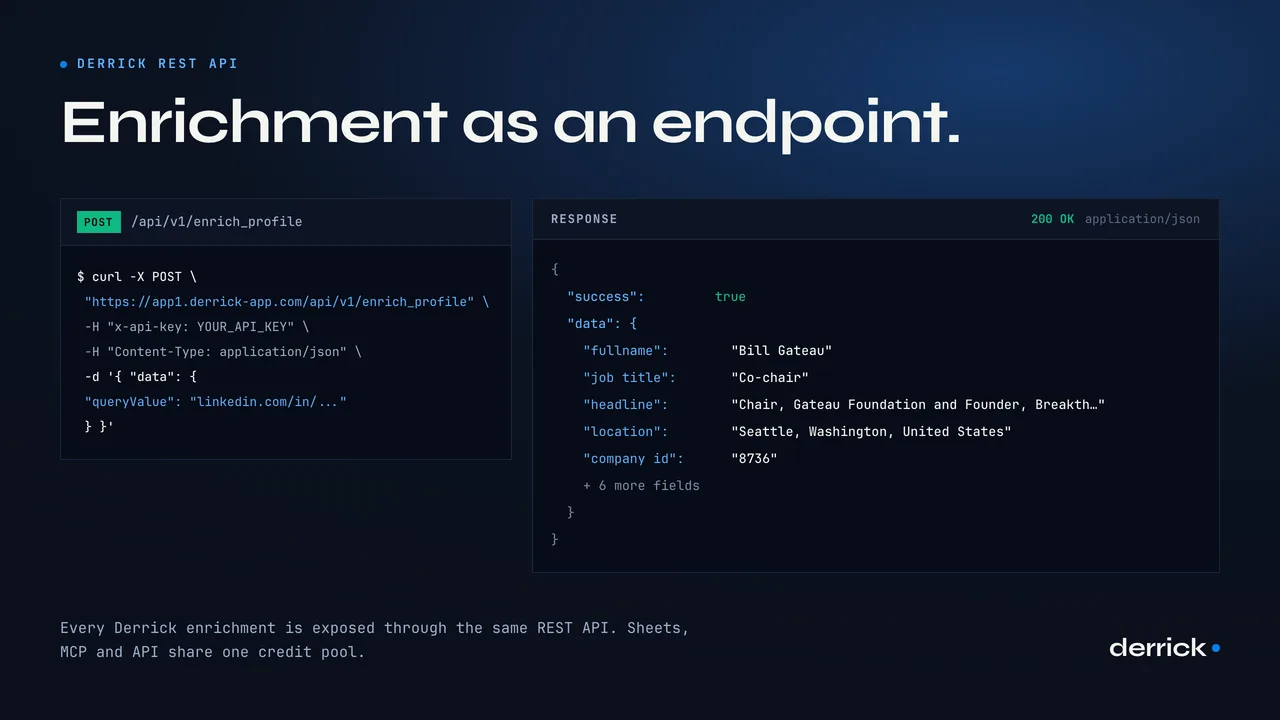
The API in one call
Derrick REST API
Every Derrick enrichment is exposed through the same REST API: JSON in, JSON out, authenticated with your own key. The Google Sheets add-on, the MCP server and the API all draw on one credit pool.
Browse Derrick's enrichment features →A data enrichment API is a web service that takes one identifier you already have (an email, a domain, a LinkedIn URL, a company name) and sends back structured fields about that person or company, as JSON. It works in three steps: send an identifier, get fields back, write them where you work. That's the whole idea.
This page covers both sides of it. First, what a real call looks like on Derrick's REST API and what it costs per record. Then the part that applies to any provider: how the mechanics work, real-time versus batch, and the checks to run before you pick a data enrichment API for your stack. It's written for back-end developers, tech leads and growth engineers, with a no-code route for teams that don't have a developer free.
What Is a Data Enrichment API?
A B2B data enrichment API is a web service that takes a partial identifier as input (an email address, a domain name, a LinkedIn profile URL, a company name) and returns a structured dataset about the matching contact or organization.
Every data enrichment API follows the same three steps:
- Send an identifier. Your code makes an authenticated HTTP request with the value you have: a work email, a website, a LinkedIn URL.
- Get fields back. The API answers with JSON: name, job title, company, headcount, industry, technologies, phone or email depending on the endpoint.
- Write them where you work. You map those fields into your CRM, your database, your spreadsheet or the next step of your pipeline.
Enrichment via API differs from manual research in two ways: speed (milliseconds instead of hours) and scale (thousands of records a day instead of a few dozen). For a developer building a lead qualification pipeline or a smart onboarding flow, it's a core building block. The internals (queues, providers, caching, matching) are covered in our guide on how a data enrichment API works under the hood.
The Derrick Data Enrichment API: A Real Request and Response
Derrick is a B2B enrichment tool you use in its web app, in Google Sheets, in Claude or any MCP client, and through a REST API. The API exposes the same actions as the app: find a work email, find a mobile number, enrich a LinkedIn profile, enrich a company, detect the technologies of a website, and more. The docs listed 35 endpoints when we checked on October 14, 2026.
How it works in practice:
- Get your key in the app. Open the Derrick web app, go to the API & MCP page and copy your key. API access comes with the PLUS plan and above.
- One base URL, one method. Every endpoint is a
POSTtohttps://app1.derrick-app.com/api/v1/{endpoint}with a JSON body. - One header for auth. Pass the key in the
x-api-keyheader. Keep it server-side. - Full reference. Inputs, credit cost and an example response for every endpoint live in the Derrick API docs.
Here is a real call, built the way the docs build it, to the Website Technologies endpoint (a domain enrichment call: you send a website, you get its stack back):
curl --request POST \
  --url https://app1.derrick-app.com/api/v1/find_tech \
  --header 'Content-Type: application/json' \
  --header 'x-api-key: YOUR_API_KEY' \
  -d '{"data": {"website_url": "<website_url>"}}'
Example response, as published in the API docs for this endpoint (the technology list is shortened here):
{
  "success": true,
  "data": {
    "cms": "Webflow",
    "urlStatus": 200,
    "technologies": "Webflow, jsDelivr, jQuery CDN, Google Tag Manager, Cloudflare, ..."
  },
  "credits": {
    "used": 2,
    "remaining": "..."
  }
}
Every successful response has the same envelope: success, the enriched data (its fields depend on the endpoint), and credits with what the call used and what's left on your account. Errors come back as {"success": false, "error": "...", "errorType": "..."} with these status codes, taken from the docs:
| HTTP status | errorType | Meaning |
|---|---|---|
| 400 | VALIDATION | Invalid request body |
| 401 | AUTH | Invalid or missing API key |
| 402 | CREDITS | Insufficient credits |
| 404 | NOT_FOUND | Action not found |
| 422 | EXECUTION_ERROR | Action execution failed |
| 429 | RATE_LIMIT | Rate limit exceeded (60 requests per minute) |
| 500 | UNKNOWN | Internal server error |
| 503 | SERVICE | External service unavailable |
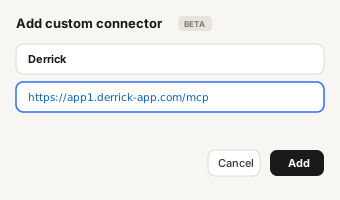
The API isn't the only programmatic route. The Derrick MCP server gives Claude, ChatGPT or any MCP client the same actions, with the same key and the same plans. Useful when the "code" calling enrichment is an AI agent rather than your back end.
What a Data Enrichment API Costs: Derrick Credits at a Glance
Derrick bills in credits, and each endpoint has its own cost. A company or profile enrichment is 1 credit. Finding a work email costs more because it is the expensive answer, and it's only charged when an email is found. The same goes for mobile numbers. You can check every cost on the endpoint's page in the docs before you call it.
| Action | Credits | When it's charged |
|---|---|---|
| Enrich Leads | 1 per profile | Per record sent |
| Enrich Companies | 1 per company | Per record sent |
| Email Finder | 5 per email | Only when an email is found |
| Phone Finder | 200 per phone | Only when a number is found |
API access starts with the PLUS plan at €47.50 per month (25,000 credits). On the SCALE plan, the price per credit drops to €0.0016. The free plan (100 credits per month, €0) runs Enrich Leads and Enrich Companies in the web app and in Google Sheets, so you can measure your match rate before paying for API access. For the full breakdown of pricing models across providers (per call, per credit, per seat, per record found), read our guide on data enrichment API pricing.
How a B2B Data Enrichment API Works: Key Concepts
Authentication and API Key Management
Almost every B2B enrichment API uses API key authentication. When you sign up, you get a unique key that goes with every request, usually in an HTTP header. Some providers use the Authorization: Bearer scheme, others a custom header. Derrick uses x-api-key:
x-api-key: YOUR_API_KEY
Whatever the header, never expose the key client-side. Keep it in server-side environment variables, and regenerate it right away if it leaks.
For multi-tenant setups, some platforms (HubSpot or Salesforce, for their own enrichment features) use OAuth 2.0 with short-lived tokens. For most dedicated enrichment APIs, the static key is still the standard. Our guide to API security and authentication covers key rotation and encryption in detail.
Core Endpoints of an Enrichment API
Most enrichment APIs expose the same endpoint families. Here is the generic map, with the Derrick equivalent next to it:
| Endpoint type | Typical input | On Derrick |
|---|---|---|
| Person enrichment | Email, name + company, LinkedIn URL | Enrich Leads (LinkedIn URL), Find Work Email (name + company) |
| Company enrichment | Domain, company name, LinkedIn company URL | Enrich Companies (LinkedIn company URL), company lookup by SIRET or name |
| Reverse email lookup | Email address | Find Name from Email |
| Domain enrichment | Website URL | Website Technologies, website emails, phones and social profiles |
Some providers add a bulk endpoint that takes a list in one request. Derrick's API works one record per call, at up to 60 calls per minute; for a whole file, you import the CSV into the web app and enrich it there in one pass.
JSON Response Format
Enrichment APIs return JSON. The structure varies by provider, but the useful parts are always the same: a status (found or not), the fields, and the cost of the call. Derrick puts them in one envelope (success, data, credits), shown in the real example above.
Some providers also return a match score that says how sure they are that the profile returned is the person you asked for. If yours does, use it. A wrong match is worse than an empty field: it goes into your CRM and nobody notices until a campaign bounces.
Rate Limiting and Error Codes
Rate limiting is the constraint to plan for before you write the integration. Every data enrichment API has one, to prevent abuse and keep the service up. Derrick's is 60 requests per minute.
Standard behavior: when you go over the limit, the API returns HTTP 429 (Too Many Requests). Many APIs also send a Retry-After header (seconds to wait) or a remaining-quota header. When there is none, wait and retry with exponential backoff. Here's a clean way to do it in Python against the Derrick API:
import time
import requests

API_BASE = "https://app1.derrick-app.com/api/v1/"

def derrick_call(endpoint, data, api_key, max_retries=4):
    for attempt in range(max_retries):
        response = requests.post(
            API_BASE + endpoint,
            json={"data": data},
            headers={"x-api-key": api_key},
        )

        if response.status_code == 200:
            return response.json()

        if response.status_code == 429:
            # 60 requests per minute: back off, then retry
            time.sleep(5 * 2 ** attempt)
            continue

        # 400, 401, 402, 422...: raise, don't retry blindly
        response.raise_for_status()

    return None  # gave up after max_retries attempts
Full strategies (token buckets, queues, quota monitoring) are in our guide to API rate limits and quota management. No-code alternative: Zapier and Make handle retries and pacing for you.
Types of Data Returned by an Enrichment API
Contact (Lead) Enrichment Endpoint
This is the most common use case for sales and marketing teams. From an email address or a LinkedIn URL, a data enrichment API can return:
- First name, last name, job title
- Verified professional email
- Direct phone number (mobile or landline)
- LinkedIn profile and social links
- Location
- Time in current role, previous job title, last education
Contact data quality varies a lot across providers. APIs that read fresh sources (live LinkedIn profiles, actively maintained databases) beat those relying on snapshots that are 6 to 18 months old. Field by field match rates and real costs are covered in our guide to the contact enrichment API. On Derrick, LinkedIn-based endpoints need your LinkedIn account connected through the Derrick Chrome extension.
Firmographic Data (Company Data)
A company enrichment typically returns the firmographic attributes you need to qualify an account:
| Attribute | Description |
|---|---|
| Employee count | Current team size |
| Estimated revenue | Annual revenue range |
| Industry | SIC/NAICS code or the provider's own classification |
| HQ location | Address, country, region |
| Founded year | Company age |
| Funding type | Bootstrapped, Seed, Series A+, public |
These data points are the base of any automated CRM enrichment setup: they let you score and segment accounts without touching each record. Which input returns which field, with a sample response, is in our company enrichment API guide.
Technographic Data and Domain Enrichment API Calls
A domain enrichment API takes a website and returns what it can read from it: the technologies detected (CMS, analytics, CDN, hosting, front-end framework), and on some endpoints the emails, phones and social profiles published on the site. For a SaaS vendor that targets companies by their current stack, it's strong qualification data. On Derrick, Website Technologies costs 2 credits per website, charged even when nothing is detected, because "no stack found" is the answer.
How to Integrate a B2B Enrichment API: Step-by-Step Guide
Step 1: Define Your Enrichment Strategy
Before writing a line of code against a data enrichment API, decide when enrichment runs:
- Real-time enrichment: triggered by an event (new CRM lead, form submission). Best for low volumes where latency matters.
- Batch enrichment: scheduled processing of an existing list. Best for high volumes where a few hours don't matter.
- Hybrid: real-time for new records, batch to refresh stale ones.
The trade-offs are laid out in the real-time vs batch section below. Expected result: a clear diagram of what triggers each call before you start building.
Step 2: Authenticate and Test Your First Call
Copy your API key from the API & MCP page of the Derrick app and run one test call with curl (the same call as above, on a website you know):
curl --request POST \
  --url https://app1.derrick-app.com/api/v1/find_tech \
  --header 'Content-Type: application/json' \
  --header 'x-api-key: YOUR_API_KEY' \
  -d '{"data": {"website_url": "<a website you know>"}}'
An HTTP 200 with "success": true means authentication works. A 401 means the key is wrong or missing.
Expected result: a valid JSON response you can check against what you already know about the site.
Step 3: Parse and Map the Response
The raw response has to match your own schema. Here's a Python mapper for the response shape above, with a guard on failures:
def parse_tech_response(api_response: dict) -> dict | None:
    if not api_response or not api_response.get("success"):
        return None

    data = api_response.get("data", {})
    techs = data.get("technologies") or ""

    return {
        "cms": data.get("cms"),
        "technologies": [t.strip() for t in techs.split(",") if t.strip()],
        "credits_left": api_response.get("credits", {}).get("remaining"),
    }
Expected result: a clean object ready to insert into your database or CRM.
Step 4: Implement Caching to Save Credits
A domain doesn't change every hour. Caching responses stops you from paying twice for the same data. Rule of thumb: a 30-day TTL (time-to-live) for firmographic data, 7 days for contact data, since job titles move faster.
Expected result: on bulk runs where the same domains come back often, a large share of calls never leaves your cache.
Step 5: Set Up Error Handling and Monitoring
Your integration needs to expect four failure cases:
- No data found: log the status and move on without crashing the workflow
- Rate limit hit (HTTP 429): back off exponentially
- Out of credits (HTTP 402 on Derrick): alert someone, don't retry
- Server error (HTTP 5xx): retry with a delay, alert if it persists
If you'd rather be called back than poll, see our guide on webhooks and event-triggered enrichment. Expected result: a pipeline that doesn't break on one failed record.
Real-Time vs Batch Enrichment: Which One Fits Your Pipeline?
Real-time enrichment runs one call when an event happens. Batch enrichment runs a whole list on a schedule. Pick real-time when someone is waiting on the answer, batch when the data only has to be right by tomorrow.
| Real-time | Batch | |
|---|---|---|
| Trigger | An event: form submitted, lead created, signup | A schedule or a file: nightly job, CRM export, imported list |
| Volume per run | One record | Hundreds to tens of thousands of records |
| Latency that matters | Seconds (someone is on the page) | Hours (nobody is waiting) |
| Typical use | Inbound lead routing, form prefill, scoring at entry | CRM cleanup, list building, quarterly refresh |
| Main risk | A slow or failed call blocks the user flow | Rate limits and a large credit spend in one go |
Most teams end up hybrid: real-time on new inbound leads, batch on the existing base once a month or once a quarter. With Derrick, real-time goes through the API or the MCP server, and batch can run through the API at 60 calls per minute or straight from the web app on an imported list.
What to Look For in a Data Enrichment API Before You Commit
Lists of "best" providers age fast and rarely match your data. A short set of checks works better. Run each one on your own records before you sign anything.
- Coverage on your market. A data enrichment API that's strong on US tech companies can be thin on French SMBs or on industrial firms. Test it on 100 to 200 records from your real target, not on the provider's demo set.
- Freshness. Ask how often profiles are refreshed, and check it yourself: take 20 contacts who changed jobs recently and see what comes back.
- Match rate and how not-found is billed. A 60% match rate billed per call and a 60% match rate billed per result found are not the same price. On Derrick, Email Finder and Phone Finder only charge when they find something; other endpoints charge per record sent, and each endpoint's doc says which.
- Compliance. Where does the data come from, is there a Data Processing Agreement, can you delete a person on request? Our guide to enrichment API security lists what to ask.
- Latency and rate limits. For real-time use, measure the response time on your own calls. For batch, the limit per minute decides how long a run takes. See rate limits explained.
- Uptime commitments. If enrichment sits in a revenue workflow (lead routing, signup), read the SLA before you depend on it. Our SLA and uptime guide explains what the numbers mean.
One more check that saves a lot of time: can you run the same enrichment without code first? If the tool has an app or a spreadsheet interface, you measure coverage and freshness in an afternoon, then write the integration only once the numbers hold up.
Real-World Use Cases for a B2B Enrichment API
Form Auto-Population
Mike, a developer at a SaaS startup, connects a data enrichment API to the signup form. When a prospect types a work email, the API returns the company name, size and industry, and the fields fill themselves. The form gets shorter, and the CRM record is usable the minute it's created.
Automated CRM Enrichment
Emma, a Sales Ops manager at a scale-up, runs a batch enrichment every time leads are imported into HubSpot. The API fills the missing fields (company size, industry, direct phone) so her SDRs don't research each lead by hand. According to HubSpot, sales teams spend an average of 27% of their time on data-related tasks that automation can remove.
Real-Time Lead Scoring
Mark, a growth engineer, uses an enrichment API inside his scoring engine. As soon as a lead enters the pipeline, the API returns the firmographic data needed to compute an ICP (Ideal Customer Profile) score. Leads are qualified before the sales team even sees them.
AI Agents That Enrich on Demand
More and more enrichment calls come from an AI assistant rather than a script. With the Derrick MCP server, someone asks Claude "find the CTO of this company and their work email", and the agent calls the same actions the API exposes, with the cost announced before it runs.
GDPR and Compliance for Enriched Data
Using a B2B enrichment API means processing personal data (emails, names, phone numbers). In the European Union, GDPR applies in full, even when the data comes from a third-party provider.
Three obligations to know:
1. Legal basis. In B2B, the basis most often used is legitimate interest: prospecting professionals in the context of their work. Document it in your Records of Processing Activities (RoPA), and make sure it passes the balancing test.
2. Purpose limitation and data minimization. Enrich only the data your declared purpose needs. For B2B prospecting, you don't need personal data unrelated to the person's job.
3. Right to object. Anyone whose profile you enriched can object to the processing. Your setup must be able to find and delete that data on request.
On the provider side, check that the API provider is GDPR-compliant itself and has a Data Processing Agreement (DPA) available. Serious providers publish it in their docs or send it on request.
For teams in the UK, the ICO (Information Commissioner's Office) framework applies similar principles post-Brexit.
No-Code Alternative: Enriching Without an API Using Zapier, Make, and Derrick
Building and maintaining an API integration takes developer time. For teams without a developer available, or that just want to move fast, there's a no-code route that gets the same data.
Derrick is a B2B enrichment tool you use in its web app, in Google Sheets, in Claude through MCP, and through its API. Because it has an API, it connects to Zapier, Make and n8n, which opens 3,000+ integrations. You can build the same enrichment pipeline as with a REST integration, without writing code:
- New lead in HubSpot → Zapier triggers Derrick → Derrick adds email, phone and company data → results go back to your CRM
- A list imported into the Derrick web app (CSV) or opened in Google Sheets → Derrick enriches 50+ attributes in bulk → export to your pipeline
For an SDR or growth marketer who wants work emails and phone numbers for a LinkedIn list, the Derrick web app is often faster to set up than an API integration, and it needs no development skills. When the volume or the automation grows, the same actions are waiting in the API.
Common Mistakes and How to Fix Them
Problem 1: Accepting Every Match Without Checking It
Impact: wrong data from the data enrichment API piles up in your CRM, hurts your campaigns and skews your lead scoring.
Solution: if your provider returns a match score, filter below a threshold you've tested. If it doesn't, spot-check a sample of each batch against records you know, and store the enrichment date next to the data.
Problem 2: Ignoring Rate Limiting Until the First 429
Impact: the pipeline breaks in production, enrichments are dropped, and the sales team can't tell why data is missing.
Solution: add exponential backoff from day one (see the code above) and pace your batch jobs under the limit (60 calls per minute on Derrick).
Problem 3: Not Caching Responses
Impact: credits spent again on domains you already enriched. At scale, this can double the bill.
Solution: store each response with a timestamp and a TTL. Before any API call, check whether the data is cached and still valid.
Problem 4: Choosing a Provider Without Checking Data Freshness
Impact: a high match rate on paper, stale data in practice: old job titles, dead emails, closed companies.
Solution: run a test on 100 to 200 contacts whose current data you already know. It's the only reliable way to measure real quality.
Problem 5: No Signed DPA With the API Provider
Impact: a possible GDPR breach. You're responsible for the processing even when the data comes from a third party.
Solution: sign a Data Processing Agreement with every API provider that processes personal data for you. Non-negotiable in the EU and the UK.
Key Takeaways: Where to Start Your Integration
- A data enrichment API works in three steps: send an identifier, get fields back, write them where you work.
- On Derrick: one
POSTper call to/api/v1/{endpoint}, the key inx-api-key, a response withsuccess,dataandcredits, from 1 credit per record, API access from the PLUS plan. - Rate limits are unavoidable: back off on 429 and pace batch runs under the limit.
- Caching is mandatory at scale: a 30-day TTL on firmographic data cuts repeat spend.
- Pick a provider on your own data: coverage, freshness, how not-found is billed, compliance, latency, SLA.
- GDPR applies to your enrichment workflows: documented legal basis, data minimization, signed DPA.
- No developer? The Derrick web app, Google Sheets or Zapier/Make give you the same data without code.
If you have developer time, the five integration steps above are the full roadmap. If you'd rather start fast, run your first list in the Derrick web app, measure what comes back, and move to the API once the numbers hold. Want the next guide on enrichment APIs when it ships? The newsletter sends one edition every 2 weeks.
Data Enrichment API
Start enriching your list in 30 seconds
Free for 100 credits/month. No credit card.
Install the add-on and enrich your lists without leaving your spreadsheet.
Install in Google Sheets →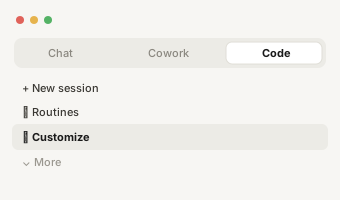
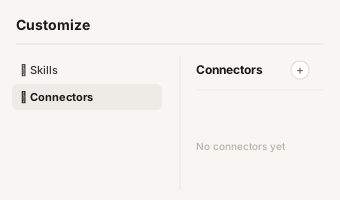
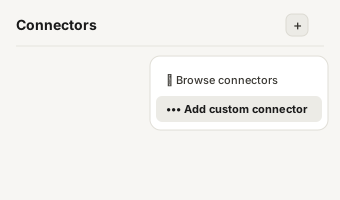
https://app1.derrick-app.com/mcp Call the same enrichment endpoints straight from your own stack or workflow.
Read the API docs →FAQs about this cluster
What is a data enrichment API?
Real-time or batch enrichment: which one?
How do you handle rate limiting in an enrichment API?
Retry-After header when the API sends one. Pace batch jobs under the limit: the Derrick API allows 60 requests per minute, so a 6,000-record run takes about 100 minutes through the API, or you import the list into the web app instead.